Instant side panel
so you take notes next to what you're reading, without losing the source.
You read something worth saving. You open a notes app, lose the context, forget what you wanted to write, and give up. noted opens in a side panel, right next to your current tab, so you capture the thought before it's gone.
Every time you leave your tab to take a note, you break the flow. You open Notion, wait for it to load, find the right page, and by the time you're ready to type, the thought is half-gone. If the note matters, you shouldn't have to leave the source to capture it.
Note-taking should happen where you are, not where your notes app is.
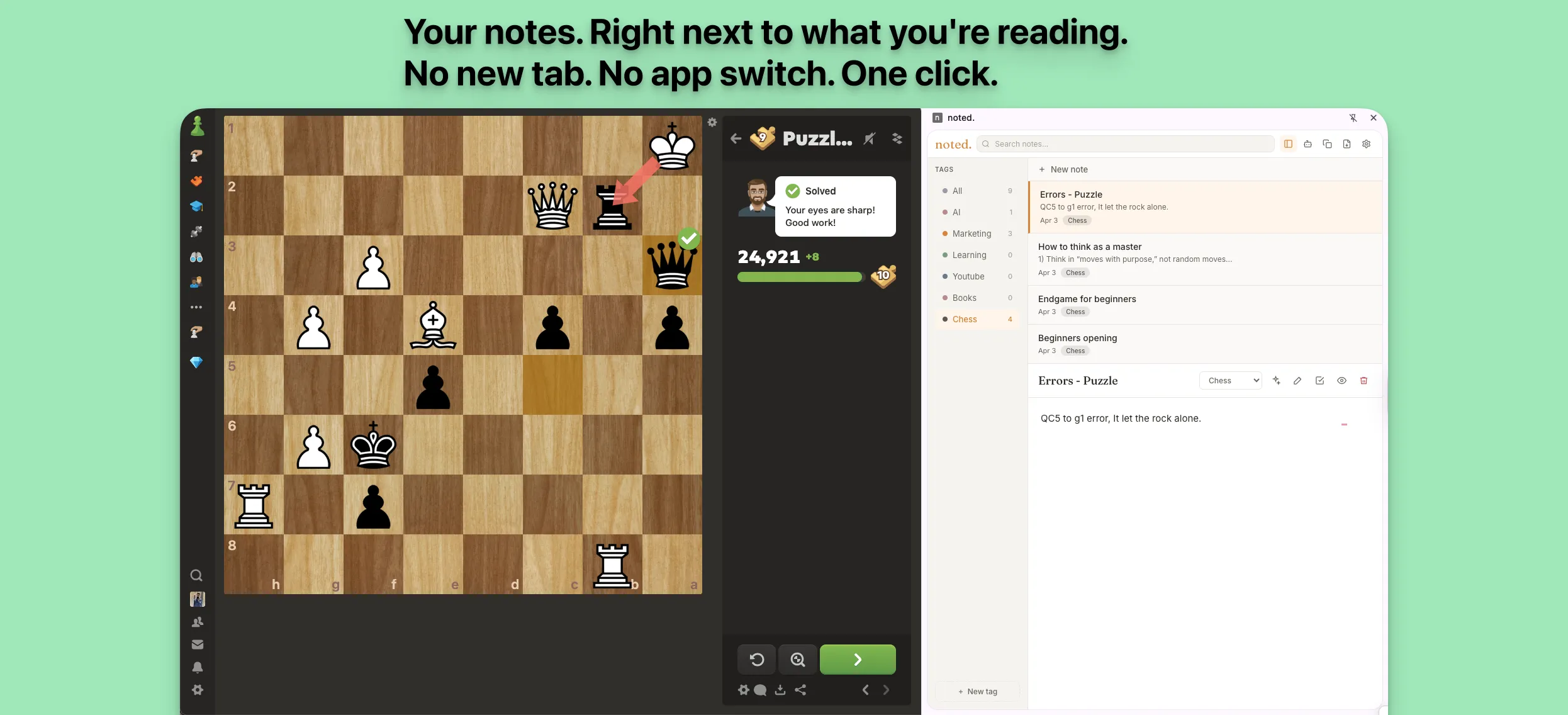
noted opens as a side panel right next to your current tab. Whether you're reading documentation, watching a tutorial, or browsing research, your notes are always one click away.
noted replaces "I need to open another app" with "jot it down and keep reading." Three shifts that make the difference:
so you take notes next to what you're reading, without losing the source.
so you write plain text and it renders formatted, zero learning curve.
so you find any note in under a second, no matter how many you have.
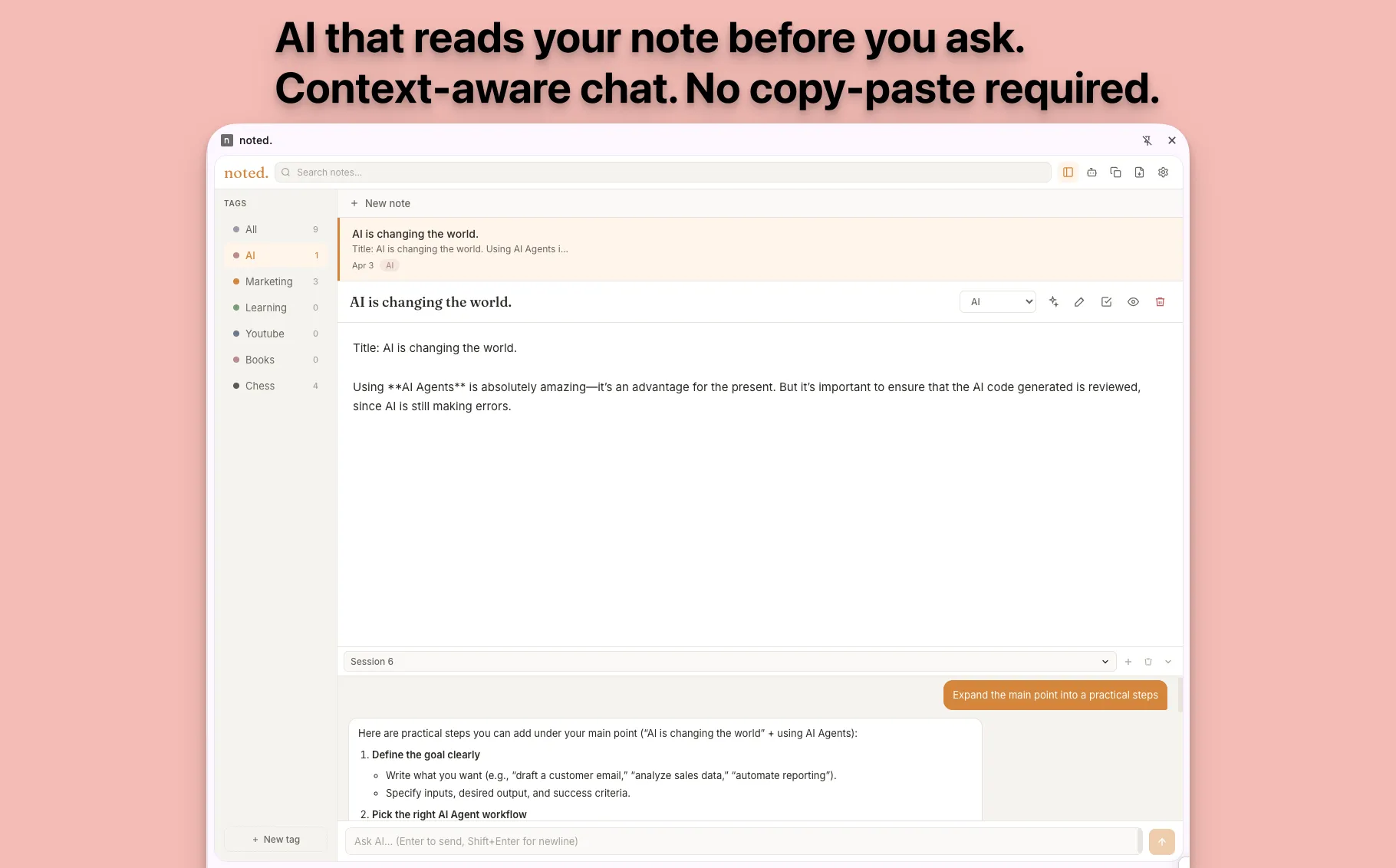
so AI reads your note before answering, no copy-paste. Bring your own API key.
Every feature exists to keep your flow. No bloat, no features you never use.
One click or keyboard shortcut. Next to your tab, so the context stays intact.
Write plain. Renders formatted. Floating toolbar included, so you don't need to learn syntax.
Tags to categorize + full-text search, so any note is one second away.
AI reads your current note for context-aware responses. BYOK, so you use your own key.
Your notes in your browser. No accounts, no cloud, so your privacy isn't an empty promise.
Export your notes anytime, so your data is never trapped.
One click on the toolbar icon (or a keyboard shortcut) opens the noted side panel next to your current tab. No new tabs, no app switching.
Type in plain text. Use Markdown for formatting. A floating toolbar handles headings, lists, and bold, no syntax required.
Add tags to organize. Full-text search finds any note in under a second. Your notes live in your browser, always available.
You're watching a lecture and need to capture a key point. noted opens next to the video, no alt-tab, no lost context.
You're reading a paper and want to annotate as you go. noted sits next to the source so your notes stay grounded.
You're reviewing a doc, a thread, or a spec. noted lets you capture decisions and questions without leaving the page.
noted. is free during beta. Every feature included. No artificial limits.
Free
Side panel, Markdown, tags, search, AI, export. Everything included.
Your notes never leave your browser.
Your notes never leave your device.
Direct answers for people deciding whether noted fits.
A Chrome extension that adds a side panel for instant note-taking. Your notes stay next to your current tab, no new tabs, no app switching.
Yes. Write in plain text with Markdown syntax. noted renders it with a floating toolbar for quick formatting.
Yes. Tags to categorize, full-text search to find. Any note in under a second.
Yes. Context-aware AI chat that reads your current note before answering. Bring your own API key.
Free to install. No account required. Takes 2 seconds to open your first note.
Maker
Made and maintained by Orlando Ascanio
Product
noted