Case study · 2026
Amethyst
Chrome extension that tracks active browsing time by domain and keeps everything on your machine.
Most time trackers want your data in the cloud. Amethyst shows where your attention goes without an account, a server, or selling your browsing history.
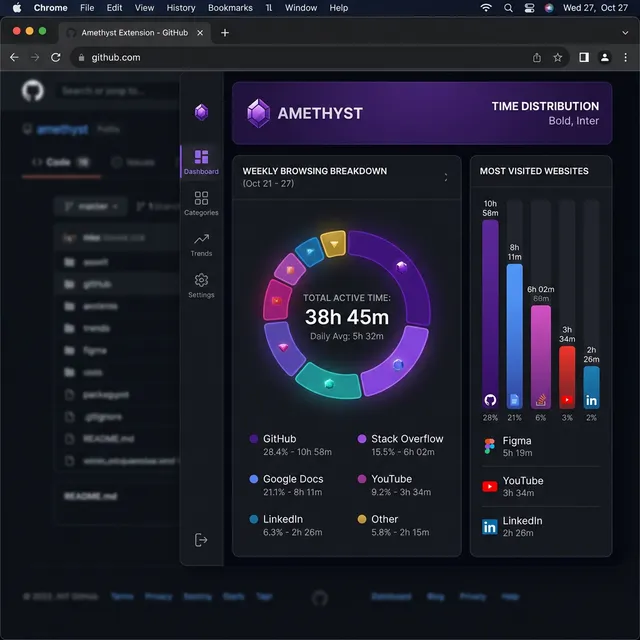
Why I built Amethyst
I kept ending days with eight hours in the browser and no honest answer for where they went. Cloud trackers felt like overkill, and I did not want another account holding my browsing data.
Amethyst tracks active time by domain, stores everything locally, and surfaces the patterns that matter: which sites eat the day, when focus drifts, and whether the week looks the way I thought it would.
How it works
- Track active time — The extension measures time on the tab you are actually using, not background noise.
- Store data locally — Stats live in
chrome.storage.local. No sync layer, no external database. - Review in a simple dashboard — Charts and breakdowns stay fast because the dataset stays on-device.
What I optimized for
- Privacy by default — No account, no cloud pipeline, no analytics on browsing behavior.
- Low friction — Install, browse, check the dashboard when you want a reality check.
- Clarity over features — The UI answers one question well: where did my time go?
Outcome
Shipped a privacy-first Chrome extension with real installs, a local analytics UI, and a product page for onboarding and distribution.