Case study · 2026
ResistGate – Stop autopilot browsing
A speed bump for your bad internet habits.
You open Twitter for one second and lose 40 minutes. ResistGate adds a friction gate between you and your distractions—so opening a blocked site takes deliberate effort, not autopilot.
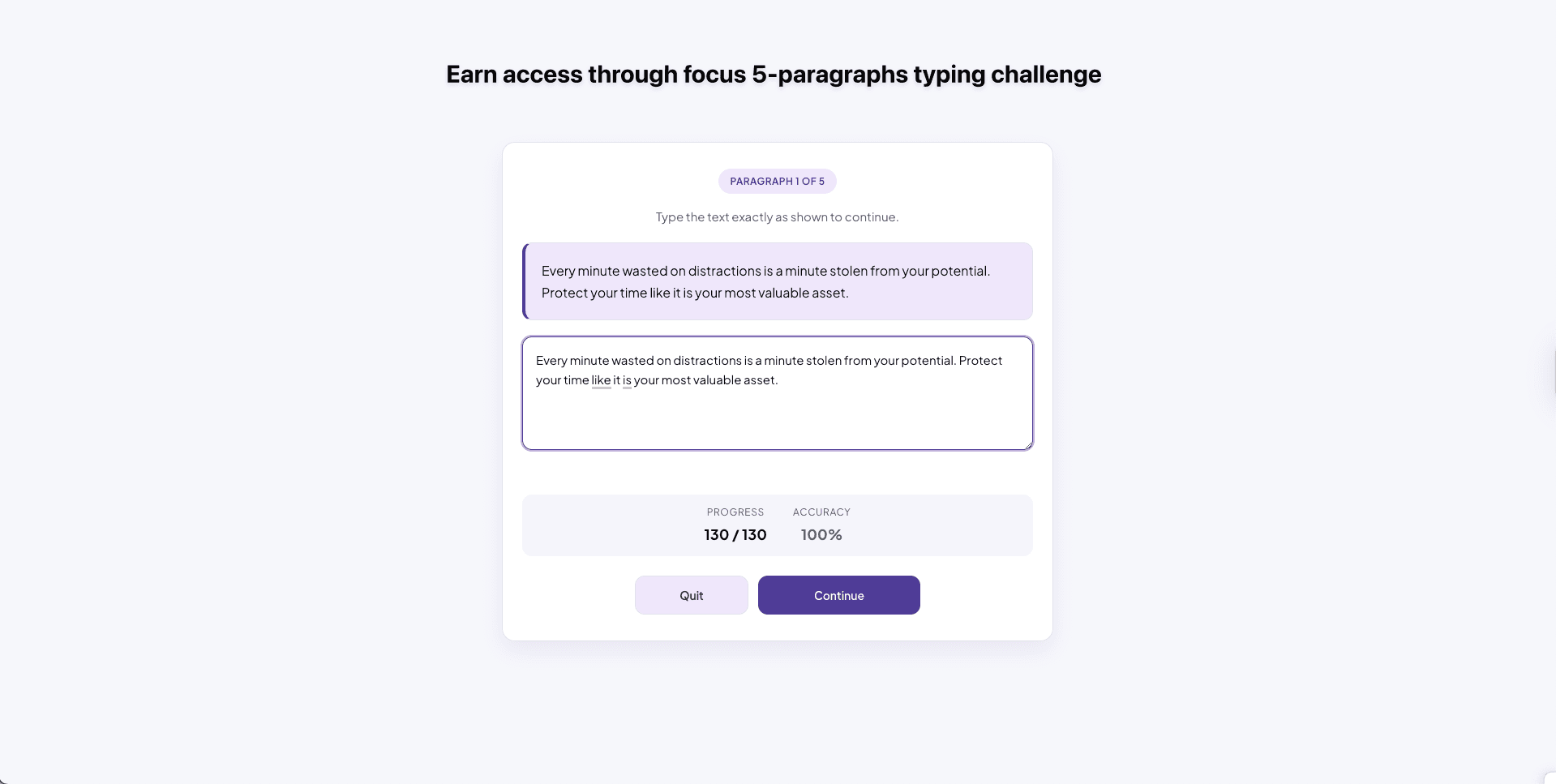
Why I built ResistGate
I built ResistGate because classic blockers were too easy to bypass when I was on autopilot. One click to disable, and the distraction won every time.
I wanted a tool that does not hide distractions—it makes you earn access. If I really need a blocked site, I should have to work for it. The typing challenge takes ~30-45 seconds of deliberate effort. That friction interrupts mindless tab opening and gives me a second to choose.
How it works
- Add sites to your block list — Pick the sites that eat your time during work hours.
- Hit a friction gate — When you visit a blocked site, a typing challenge replaces instant access. Type 5 paragraphs with 100% accuracy—takes ~30-45 seconds. Real friction that breaks the autopilot loop.
- Get timed access — Pass the gate and you get a short window. When it expires, the block comes back automatically.
Key features
- Free: Domain blocking, schedule-based blocking, friction challenge, temporary access, and manual override.
- Pro (in development): Strict Mode lock, override cooldown, focus analytics dashboard, Weekly Focus Score (0-100), weekly report, earn-access rule.
Tech stack
Chrome Extension Manifest V3 with Chrome APIs and TypeScript/JavaScript. State and settings stored locally using chrome.storage.local.
Privacy
ResistGate is local-only by design. No external servers, no analytics, no tracking. The product focuses on discipline mechanics, not data collection.