Skip to content

Faraway

Your people, beside your notch.

Far away.
Still close.

Someone you love is starting their day. Someone else is already dreaming. Keep a little of their world on your Mac.

I’m interested in FarawayIn development · For macOS 14 or later
  • Samat work until 18:0017:00Lisbon
  • Anaat work until 17:0012:00Caracas
  • Leoasleep · usually up 07:00–08:0001:00Tokyo
Leo is asleep

Move the time and watch all three skies change at once.

Interactive demo with sample people in real cities, on 17 September 2026. The skies use the app’s own solar calculation and palette; states follow the routine you configure, not online activity.

The distance is in the miles.

The everyday can still be shared.

Their face, their time, and a sky that changes with their day. Faraway lives beside your Mac’s notch and opens when you hover. A small place for the people you miss.

Their day has little moments.

A waking morning. A birthday. That little window when everyone is awake. Faraway lets those moments peek out from your notch.

Turn on sunrise and sunset moments for someone special. You choose what gets a moment.

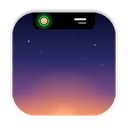
Everyone’s awakeA little overlap in your days.
It’s their birthdayTheir special day, in their time zone.
It’s midnight over thereA little sparkle for a brand-new day.

Illustrative examples of Faraway’s moments.
Lisbon Caracas
6

days until
see you again.

Something to look forward to. A little closer.

An example of a saved visit.

Until the next real hug.

Save the date of your next visit. Find a time that works for both of you, then copy a plan with each person’s local time. Keep the little details you want to remember, too.

A birthday, a note, the last time you caught up. No streaks. No guilt.

Close by. On your terms.

  • No accounts. Your people stay on your Mac.
  • Weather is optional and off by default.
  • Hides during full-screen videos and games by default.

A few things to know.

What do I need to run Faraway?

A Mac running macOS 14 Sonoma or later. Faraway is designed around the MacBook notch, with an option for displays without a notch too.

Does the other person need to install it?

No. You add their name, city or time zone, and usual routine. Faraway works out their local time and part of the day on your Mac.

Does it show whether someone is online?

No. Sleep and work states follow the hours you set. Faraway doesn’t track anyone’s location or online activity.

Do I need the internet or an account?

No account needed. Your people, photos, and settings stay on your Mac. Time and skies work offline. If you enable weather, Faraway asks Open-Meteo for conditions using the configured city’s coordinates. Weather is off by default.

Can I download it yet?

Faraway is in development. There isn’t a public download linked here yet. Get in touch to ask about availability.

Who do you want close by?

Faraway is taking shape. Get in touch if you’d like to use it.

Ask about FarawayExplore all products
Faraway — Far away. Still close. | Orlando Ascanio