
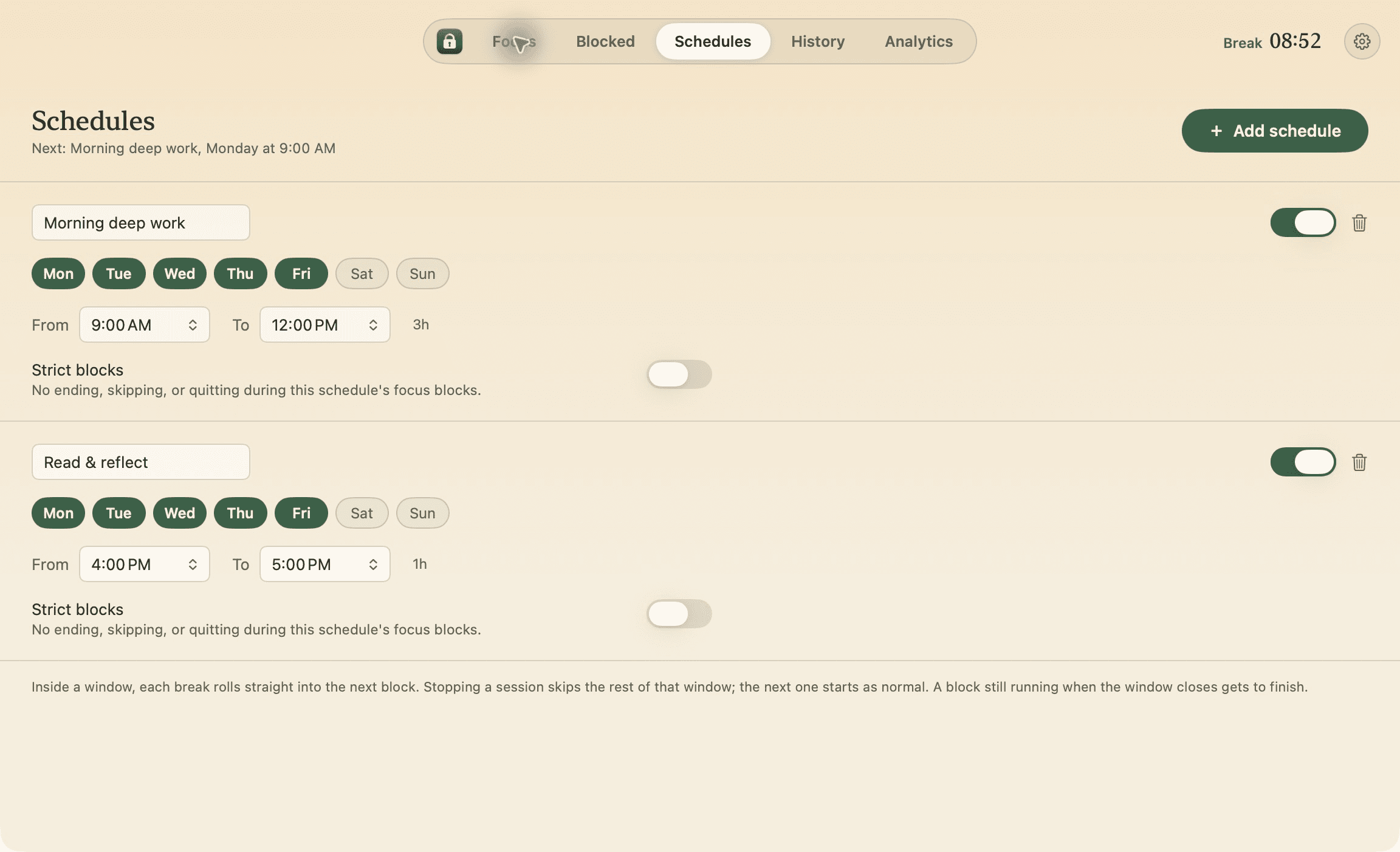
Schedules that start themselves
Weekdays from 9:00 to 12:00. Inside the window, each break rolls into the next block.
Version 0.3.6 · Updated on October 11, 2026
When you open Discord during a focus block, Guard Screen hides its window while the app keeps running. Guard distracting websites too. Free, with no account required.
18:42 remaining
The window is guarded
I started building Quietwhile for nights when my friends and I study together on Discord. I wanted to stay in the room without turning one quick reply into forty minutes of yapping.
Most blockers remove Discord. Quietwhile keeps the call running and, when you reach for the window, hides it behind Guard Screen. You can still go in, but only on purpose.
Guard Screen hides Discord without terminating it. Go back to work, take an explicit five-minute exception, or end the session. Strict mode removes those exceptions and the End button; an emergency exit remains available.
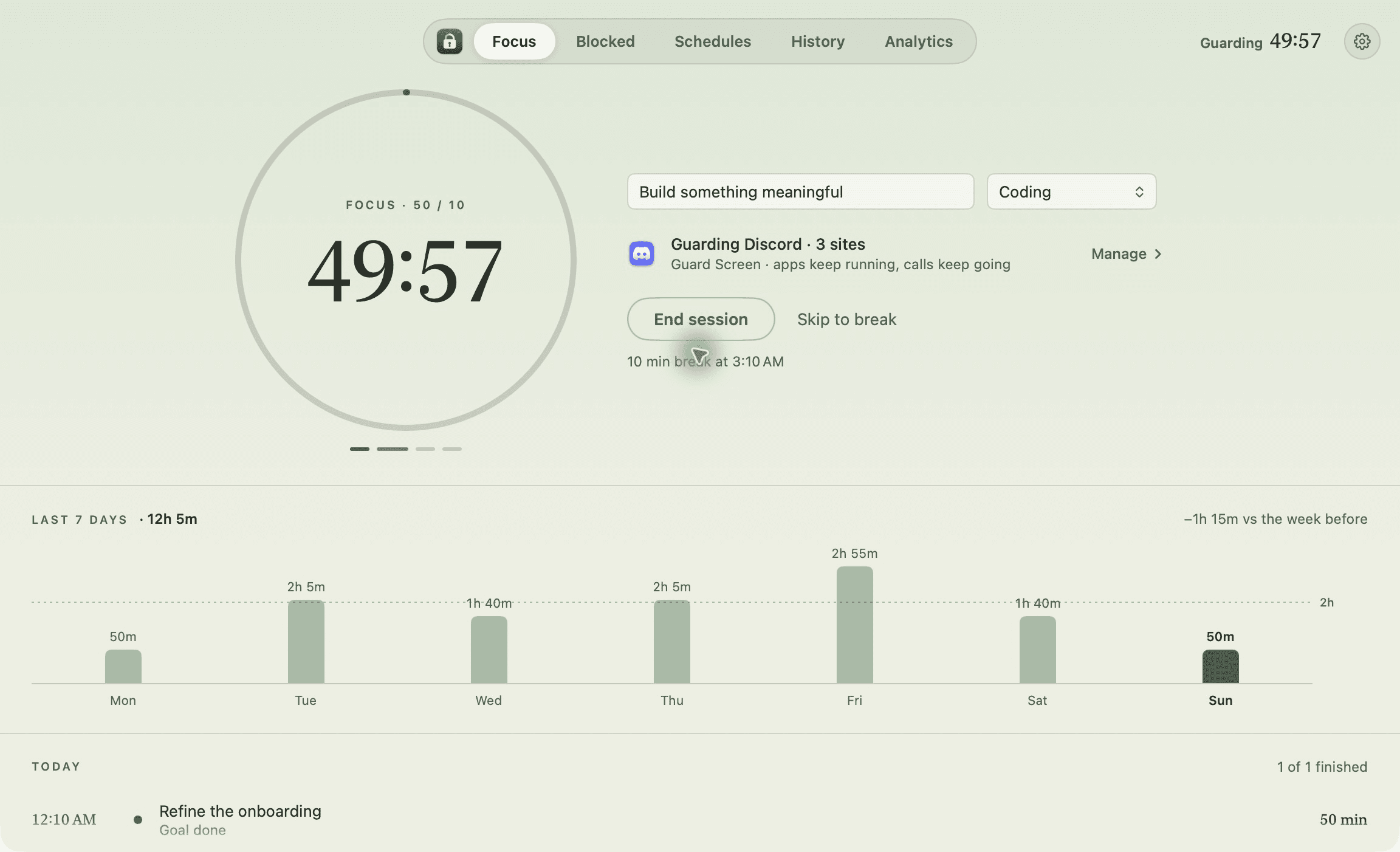
Add Discord to your guarded apps and leave Guard Screen selected. It is the default: it hides the window instead of quitting the app.
In the Focus view, choose the duration and start your block. The remaining time stays visible in the menu bar.
If you open Discord, Guard Screen lets you return to work. When your break starts, guarding stops and you can open it normally.
See a block in action, guard the sites that pull you in, and take a real break when it ends.
A 50-minute focus block starts with the goal “Build something meaningful”. The recording shows three guarded websites, two weekday schedules, and sample session history. It ends during a break with an animated box breathing guide.
During a break, the box breathing guide starts: breathe in, hold, breathe out, and hold for four seconds each. An animated circle follows the count.
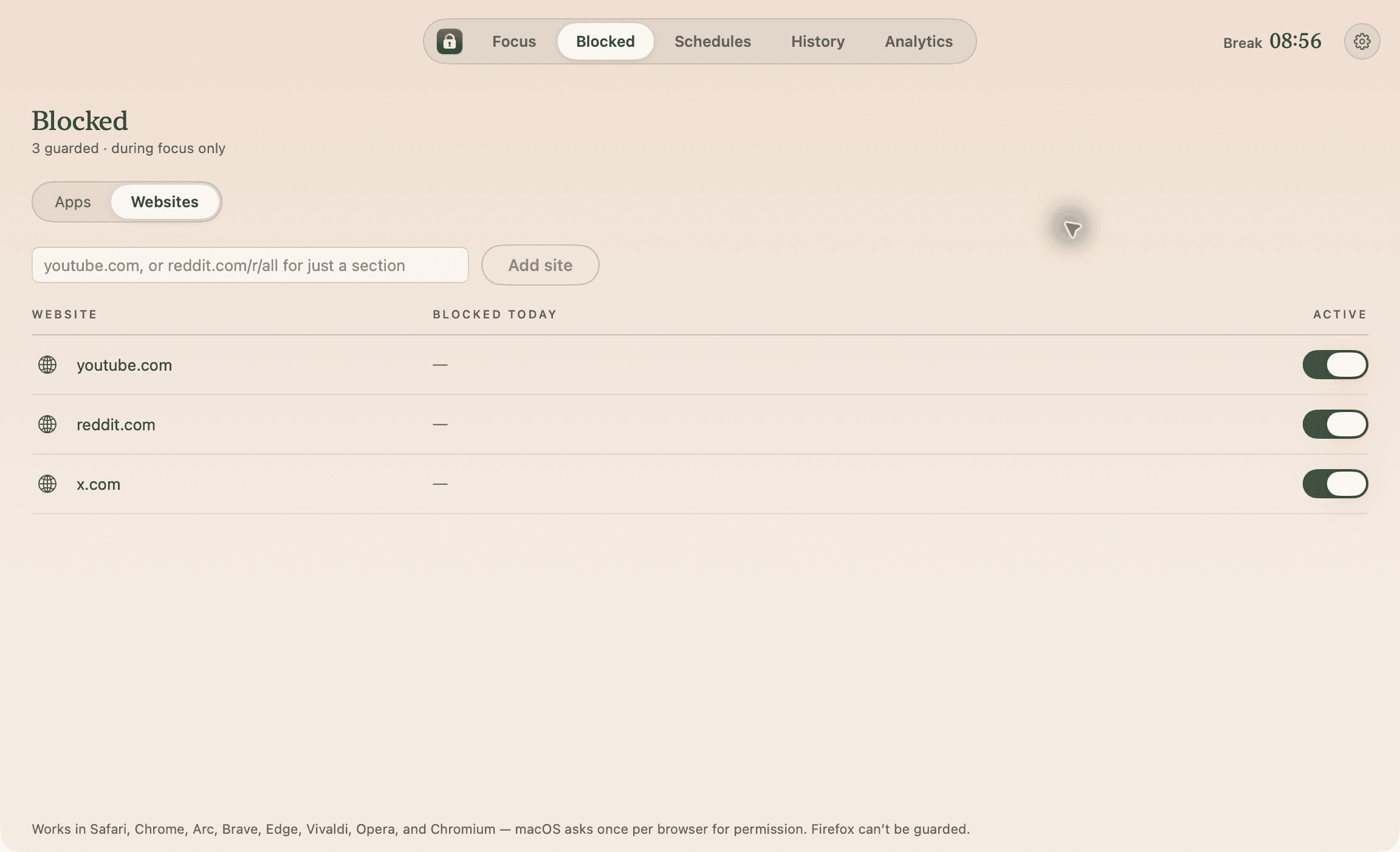
The guarded sites list shows youtube.com, reddit.com, and x.com. The tour continues through two weekday schedules, session history, and the 30- and 7-day analytics views.
Weekdays from 9:00 to 12:00. Inside the window, each break rolls into the next block.
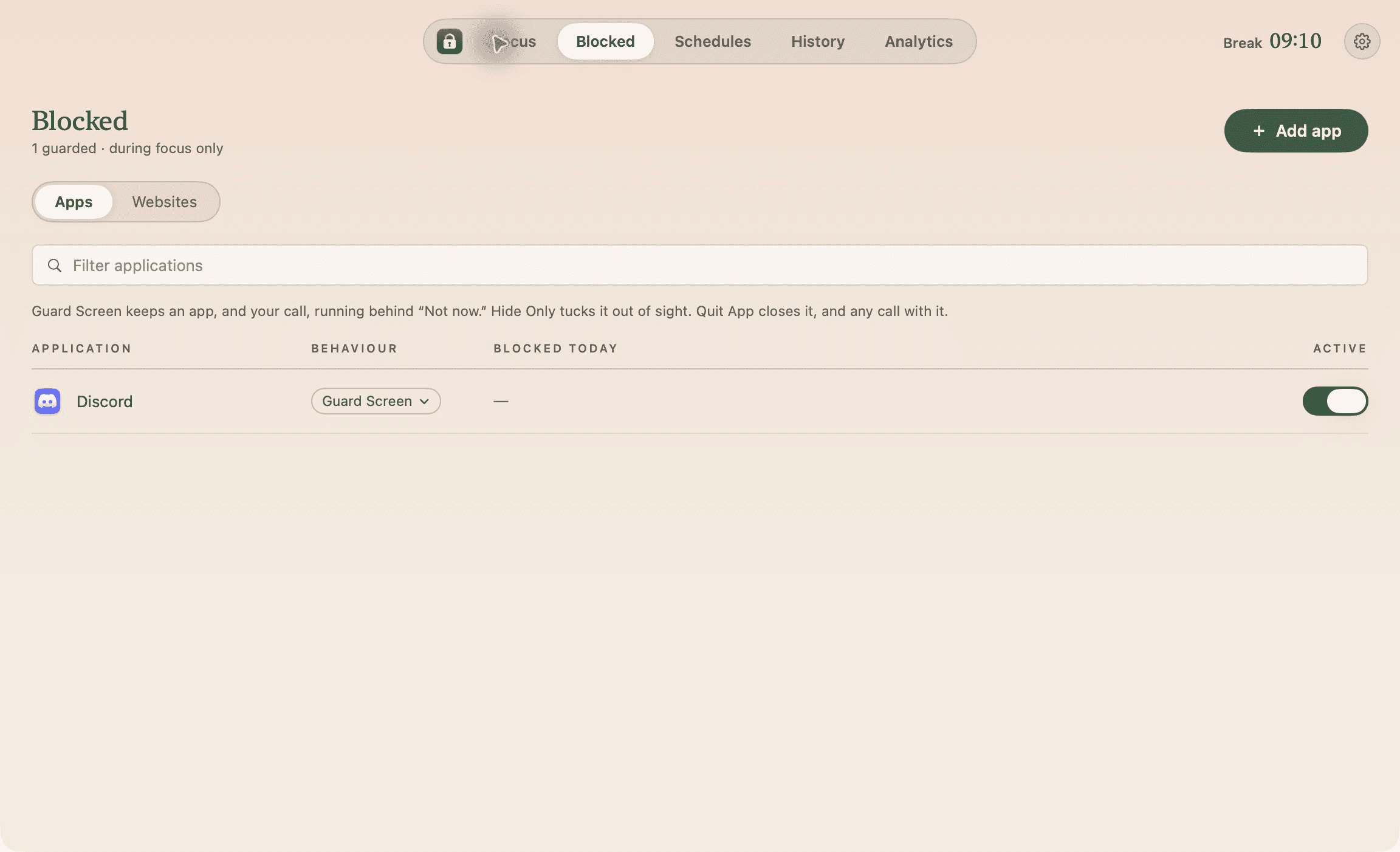
Guard Screen hides the window and shows a pause; Hide Only just hides it; Quit App quits the app. Guard Screen is the default. Choose one behavior globally or per app. Finder, the Dock, System Settings, Terminal, and Quietwhile are never guarded.
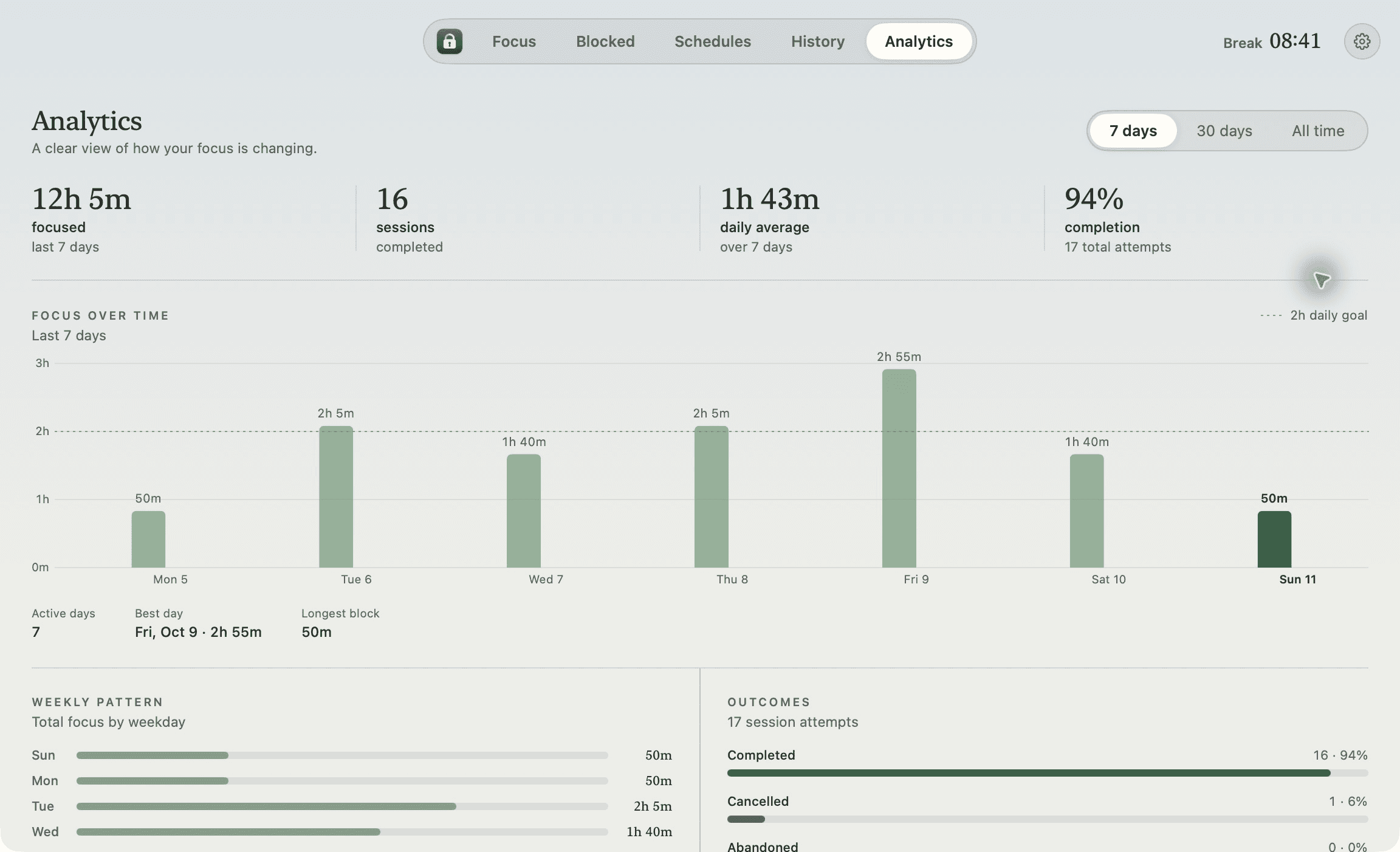
Completed, cancelled, and abandoned sessions; 7- and 30-day trends, your best day, and a check-in after each block. All of it stays on your Mac and exports as CSV or JSON.
Switch presets in the Focus view or set your own block and a break of up to 60 minutes. Each block can carry a goal and a category.
No ending, skipping, exceptions, or quitting Quietwhile until the block is over. Force-quit it and it comes back and carries on. The emergency exit asks you to type a sentence, then wait.
Global shortcuts to start, stop, and skip; a desktop widget; Shortcuts actions; and a Focus filter that starts a block when your Work Focus turns on.
Review your blocks, goals, and categories in History and Analytics. Copy a session recap and export your data as CSV or JSON.
No account, cloud sync, or remote analytics. Only the update check goes online.
~/Library/Application Support/Quietwhile/.What it records, what it can and cannot stop, and where every escape hatch goes.
Normally, nothing: ⌘Q stops guarding and the block is recorded as abandoned. In a strict block, Quietwhile refuses to quit until the block ends, and if you force-quit it, it reopens and carries on. Logging out, restarting, and shutting down still work.
Yes: the emergency exit. You type an exact sentence, then Quietwhile waits two minutes (or whatever you set) before ending the block, which your history records as cancelled.
It opens that app for exactly five minutes. Outside strict mode you can use it again. If the app is still frontmost when time expires, Quietwhile hides it and shows Guard Screen again.
During focus, while a supported browser is frontmost, Quietwhile asks it for the active tab’s address over Apple Events and, if the site is guarded, swaps the page for its own “Not now.” page. macOS asks your permission once per browser. Firefox does not allow its tabs to be read this way.
Guard Screen hides Discord with macOS’s Hide instead of quitting it, so the process stays alive. I haven’t tested every combination of call, camera, microphone, and screen sharing yet.
No. Schedules need Quietwhile running, so the app offers to open at login. Stopping a session during a schedule ends that window for the day; the next one starts as normal.
Only during the focus phase and only for active apps and sites in your list. Guarding stops during breaks and when the session ends.
No. Everything is stored and calculated on your Mac. Release builds only use the network to check for and download signed updates; you can turn off automatic checks in Settings.
Download Quietwhile, add Discord, and start a block. No account, and it keeps itself up to date.