Skip to content
AmethystInstall Free
AmethystWebsite time tracker for Chrome · Free core tracking

Your browser ate the morning.Amethyst shows exactly where it went.

Amethyst is a private website time tracker for Chrome. It counts time while your tab is active, Chrome is focused, and you are not idle. See your time by website in a local dashboard and export it as CSV. Core tracking is free and works without an account.

Amethyst website time tracker dashboard with daily activity and top sites using demo data

How it works

01

Install and browse normally

Add the extension from the Chrome Web Store. It starts tracking active tab time immediately, no setup, no login, no onboarding.

02

Check your attention breakdown

Open Amethyst to see where your active browser time went. Spot the websites that quietly consumed your attention.

03

Adjust with less guessing

Use that insight to adjust your day. The first useful insight usually appears after a normal browsing session.

The dashboard where browser time stops feeling vague.

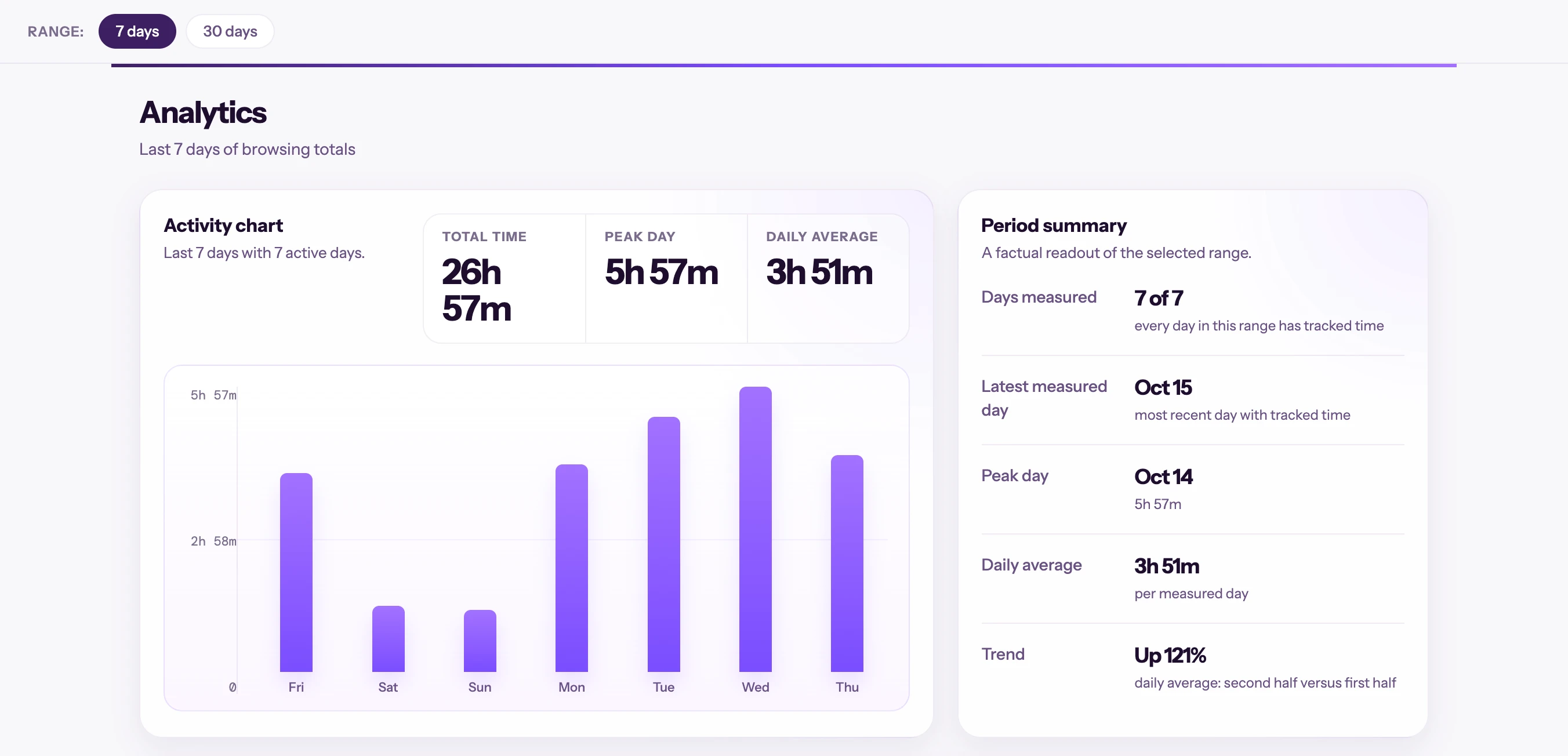
The real analytics dashboard with demo data: daily activity, totals, average, and a period summary that makes attention patterns visible.

  • Shows concrete results with demo data.
  • Explains what the user learns from reviewing their week.
  • Helps you review your top sites and export recorded time as CSV.
Product demo
Amethyst seven-day activity chart and period summary using demo data

Three moments where Amethyst changes the conversation

It is not just a timer. It gives you a pattern to see, a decision to justify, and a routine to correct with evidence.

Remote work

The browser ate the morning

You bounce between Slack, docs, and LinkedIn. By 2pm it feels like you worked all morning, but you cannot explain where the energy went.

Outcome

Amethyst shows the two secondary sites that quietly drained real hours. You stop correcting by feeling and start correcting by domain.

Study

Feeling busy is not studying

You spend the afternoon across videos, references, and searches, but it is hard to separate real research from elegant distraction.

Outcome

The dashboard makes it obvious how much time went to support material versus the actual task.

Privacy

You want data, not surveillance

You want browser habit data, but not another account, another cloud dashboard, or another company storing your behavior.

Outcome

Amethyst shows your browsing-time records in a local dashboard.

Who it is for

Developers

You live in browser tabs and want to understand where your online workday actually goes without sending browsing data to another cloud dashboard.

Writers, researchers, and builders

You want honest feedback on where your attention went, not aggressive blocking, not gamification, not another app demanding your focus.

Privacy-conscious users

You want a website time tracker that stores browsing-time records on your device and works without an account for core tracking.

Your website time, stored on your device.

Amethyst focuses on local browsing-time records and active website time tracking.

Local browsing-time records

Others

Amethyst

No account needed

Others

Amethyst

Core tracking without cloud sync

Others

Amethyst

Active time tracking

Others

History only

Amethyst

CSV export

Others

Paid

Amethyst

Private by default

Amethyst stores browsing-time records in Chrome's local storage. Core tracking and the dashboard work without an account or cloud sync.

  • Browsing-time records are stored locally in Chrome's storage API.
  • The extension measures active time using visibility and focus signals, it does not read page content.
  • Version 1.6.2 includes optional usage analytics that can send app events when configured. Browsing-time records stay local.

Amethyst quick answers

Direct answers for people deciding whether Amethyst fits.

More questions? Ask a question on Chrome Web Store

A private website time tracker for Chrome that counts active browsing time by domain and shows the results in a local dashboard.

Browser history shows what you opened. Amethyst measures how long each site actually held your active attention.

Your browsing-time records are stored locally in Chrome. Version 1.6.2 includes optional usage analytics that can send app events when configured.

Core tracking, the dashboard, built-in categories, and CSV export are free. Schedules, custom categories, and weekly reports are Pro-gated in version 1.6.2.

Yes. CSV export is included with free core tracking.

Questions, bugs, or feature requests? Email me directly at hello@orlandoascanio.com. I read every message.

Ready to see where your browser attention actually goes?

Install Amethyst for free and check your first attention breakdown after your next work session.

Install Amethyst free

No signup. No cloud sync. Local-first by design.